These options allow you to change the appearance and behavior of the application and are set during assembly.
Options can also be redefined through the Smarty control panel in the Portal and Application Configuration block on the device page, if the mobile client build supports this (for Android - since version 3.6, for iOS - applications collected later than 26.01.2021).
Registration screen
Activation of the registration screen
Option name: registration_enabled, data type: bool.
Shows the registration screen if there is no saved login and password. At the moment, there is no support for registration by call (when the subscriber must call the phone number), as well as support for captcha. If the option is also included auto_registration_enabledthen priority y registration_enabled.
Display of advertising text
Option name: promo_signup_screen_message, data type: string.
Allows you to place advertising text on the registration screen. The line is in the format: 'Text 1'; Text 2; Text 3', where the separator will be ';' and the information will appear in separate lines. If the screen is small, only the first two lines are taken. By default null.
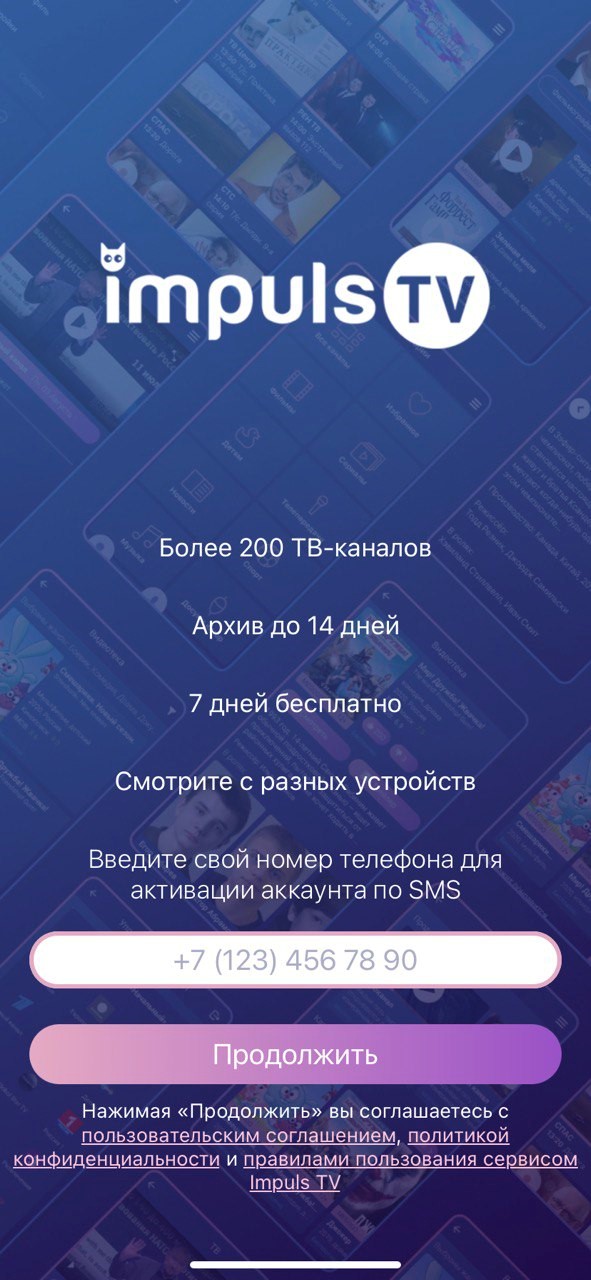
Placeholder phone number
Option name: phone_number_placeholder, data type: string.
Option to specify the placeholder for the phone number on the registration screen. By default null.
Phone number mask
Option name: registration_phone_mask, data type: string.
Shows the phone number mask on the registration screen. Spaces and brackets when dialing will be displayed in the same sequence. By default null.
Example: +7 ([000]) [000] [00] [00]'.
Reference to legal instruments
Option name: legal_docs_message, data type: string.
Display information about legal documents. You can specify content with link tags. By default null.
Example: By clicking “Continue” you agree to <a href="/en/»https://impulstv.tv/terms_of_use»/">user agreement</a>, <a href="/en/»https://impulstv.tv/privacy_policy»/">privacy policy</a> and <a href="/en/»https://impulstv.tv/service_usage_rules»/">terms of Use of Impuls TV Service</a>'.
Publication account
Option name: account_publish, data type: string.
Special account for publication. Hiding payment buttons and promotional codes for market inspectors. It is also used on the registration screen to simulate successful registration and subsequent authorization by this account. Used in conjunction with phone_number_publish and password_publisher. By default null.
Password for publication
Option name: password_publisher, data type: string.
Used on the registration screen to simulate successful registration and subsequent authorization using this password. Used in conjunction with phone_number_publish and account_publish. By default null.
Phone number for publication
Option name: phone_number_publish, data type: string.
Used on the registration screen to simulate successful registration using this phone number. Used in conjunction with account_publish and password_publisher. By default null.
Attention! The option is mandatory to install when the option is enabled registration_enabled. Format '70,000,000'.
Confirmation code for publication
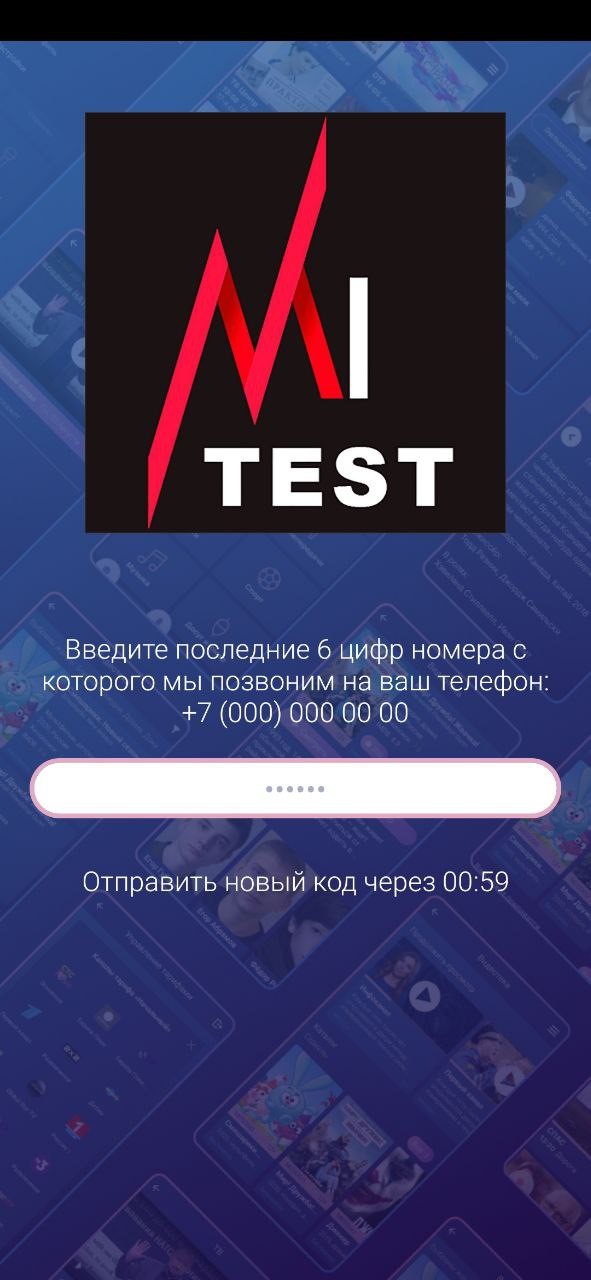
Option name: verification_code_publish, data type: string.
Used on the registration screen to simulate successful registration and subsequent confirmation using this code. Used in conjunction with phone_number_publish, account_publish and password_publisher. By default null.
Confirmation of registration by SMS
Option name: send_sms, data type: number.
Adjust the corresponding parameter in the request AccountRegisterSend SMS or not to a mobile phone with the data of the created account. By default 0.
Type of confirmation of registration
Option name: registration_onfirm_type, data type: number.
Determines the type of registration confirmation. By default 0.
Block timer for repeated confirmation code request
Option name: code_waiting_timer, data type: number.
Determines the time to block the repeated request of the confirmation code in seconds. By default 60.
Length of confirmation code
Option name: phone_code_length, data type: number.
Determines the length of the confirmation code. By default 4.
Logic of work
Authorization regime
Option name: try_login_without_login_password, data type: bool.
Possible values:
- true Authorization will occur at the mac address of the device. For iOS, it only works if the user has allowed access to a unique IDFA (iOS 14.5 Requirement).
- falsely - authorization will occur by login and password (by default).
Verification of additional account status
Option name: check_account_status_reason, data type: bool.
Possible values:
- true Additional account status will be checked even in case of successful authorization. For example, if the account is active, but the additional status is “Blocked for debt”, then the corresponding authorization error will be issued in the portal.
- falsely additional status will not be checked (by default).
Autoregistration by mac address
Option name: auto_registration_enabled, data type: bool.
Possible values:
- true At the first launch of the application, a new account will be created, tied to the mac address of the device. For iOS, it only works if the user has allowed access to a unique IDFA (iOS 14.5 Requirement).
- falsely at the first start, the user will be asked to log in using a login and password (by default).
The ability to enter characters in the password
Option name: symbols, data type: bool.
Possible values:
- true numbers and letters can be entered in the password.
- falsely only numbers can be entered in the password (by default).
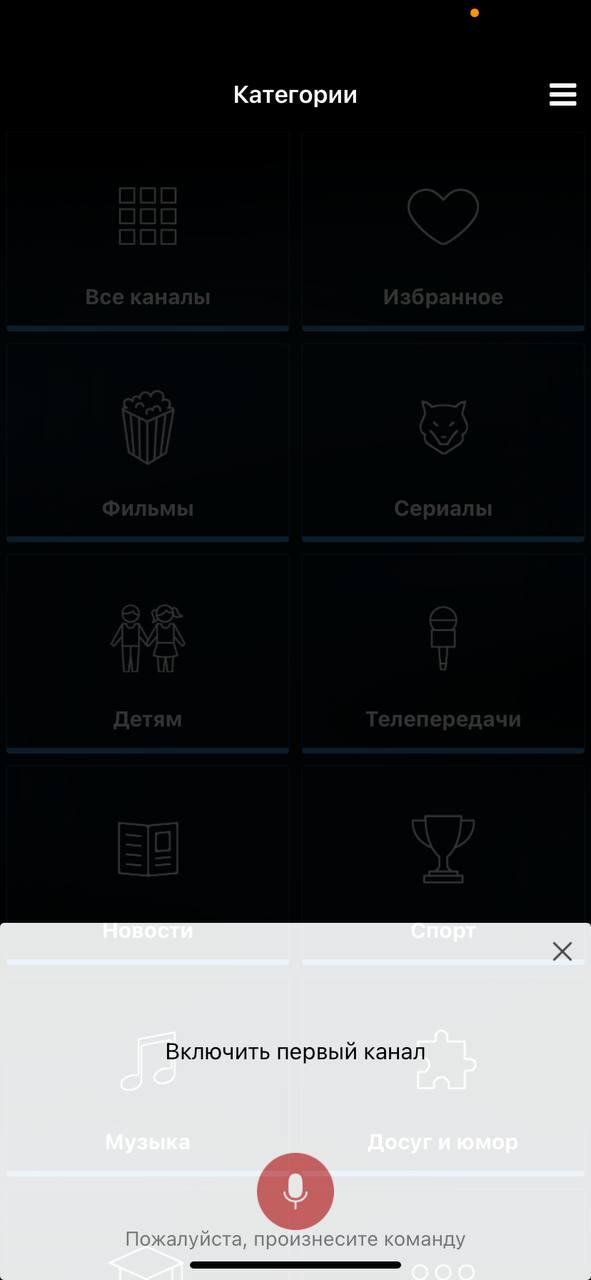
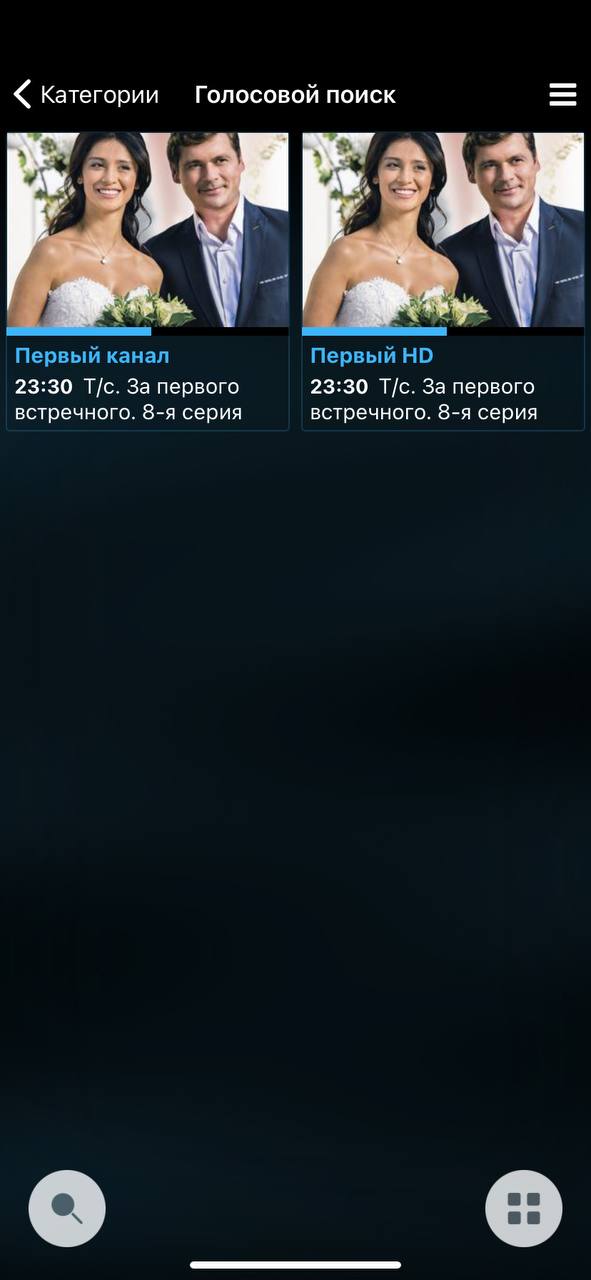
Voice control of the application
Option name: voice_recognition_command, data type: bool.
Possible values:
- true - turn on voice control.
- falsely do not include voice control (by default).
Inclusion of the menu item "TV remote"
Option name: show_windy_remote_menu, data type: bool.
Windycast is a technology that allows you to connect a mobile device and Smart TV / STB within the same network, then use the mobile application as a remote or transfer the view from a mobile device to a stationary one.
For the correct operation of Windycast, you will need to install and configure the windycast server, as well as specify additional parameters in the application settings.
Possible values:
- true - include the item "TV remote".
- falsely - do not include the item "TV remote" (by default).
Url address of Windycast server
Option name: windy_url, data type: string.
Option to specify the windycast server. Used in conjunction with show_windy_remote_menu.
Showing flow-stub for the lock channel
Option name: show_banner_lock_channel, data type: bool.
Possible values:
- true - when starting the channel with a lock, an attempt will be made to obtain a stream-stub and a banner-stub for their further display.
- falsely no stream will be requested for a channel with a lock, instead a window with a list of tariffs in which this channel is present (by default) will immediately appear.
Turning the application down the arrow "Back"
Option name: minimize_app, data type: bool.
Possible values:
- true - fold the application by the arrow "Back" in the upper left corner of the screen "Category Channels".
- falsely Return to the authorization screen by arrow "Back" in the upper left corner of the screen "Category Channels" (by default).
Appearances are common
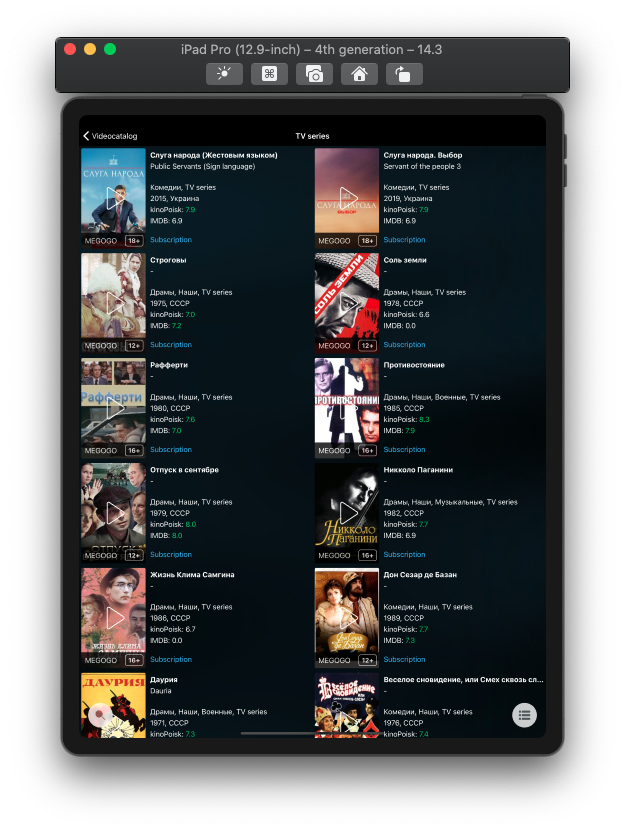
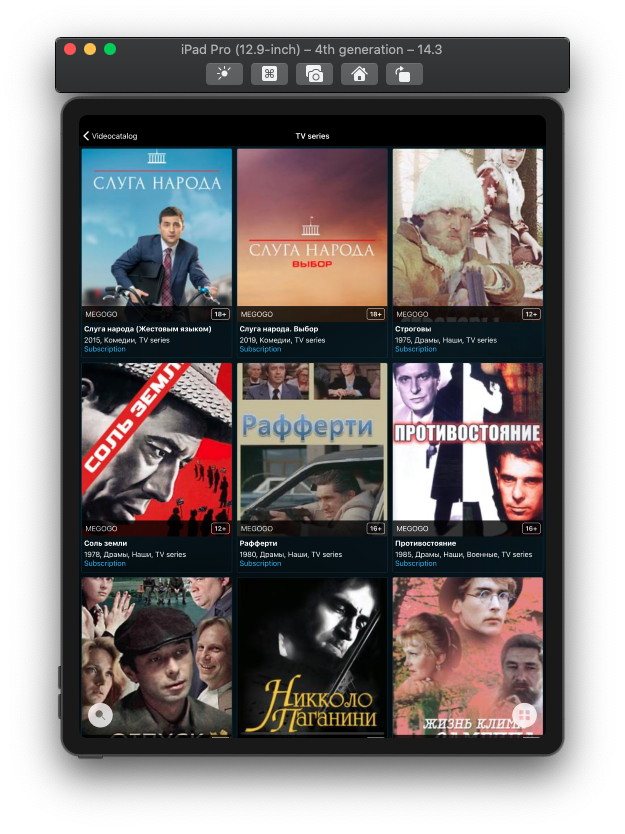
Display of the list mode selector
Option name: default_selector_setting_value, data type: bool.
Mode selector – a button at the bottom of some screens (categories/channels/archives). By default, this button can be hidden. If the selector is hidden, you can turn it on in the application settings (Menu -> Settings).
Possible values:
- true - show the mode selector.
- falsely do not show the mode selector (by default).
List mode selector
Option name: default_elector_value, data type: string. Used in conjunction with default_selector_setting_value.
Possible values:
- tiles Display in Grid mode (by default).
- list - Display in List mode.
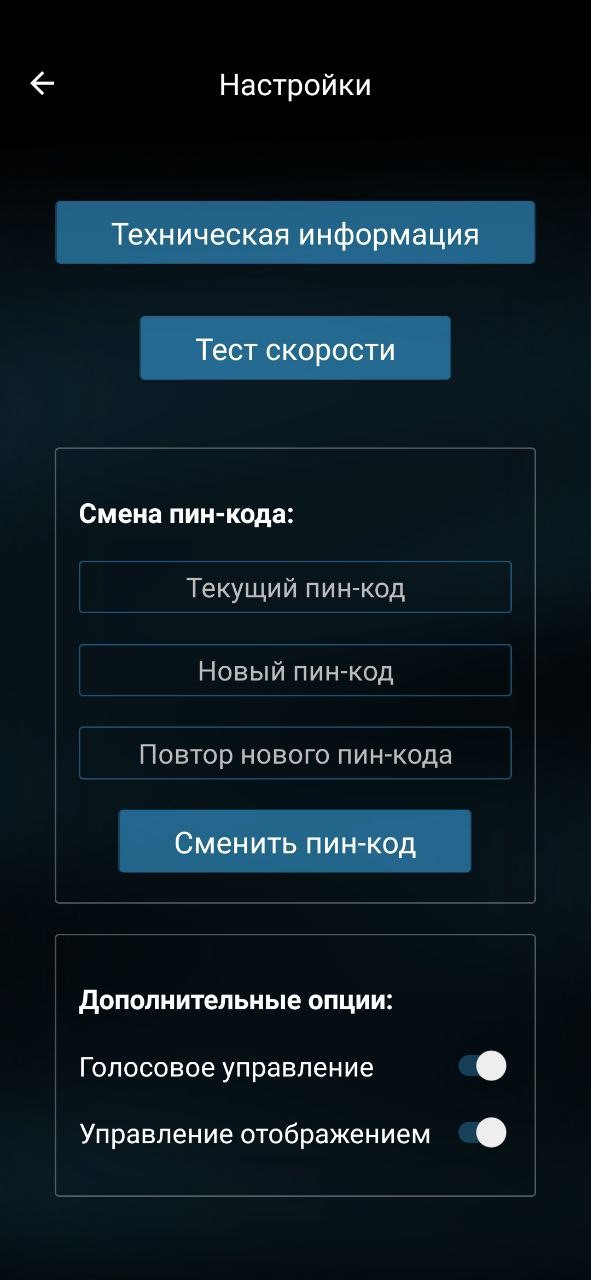
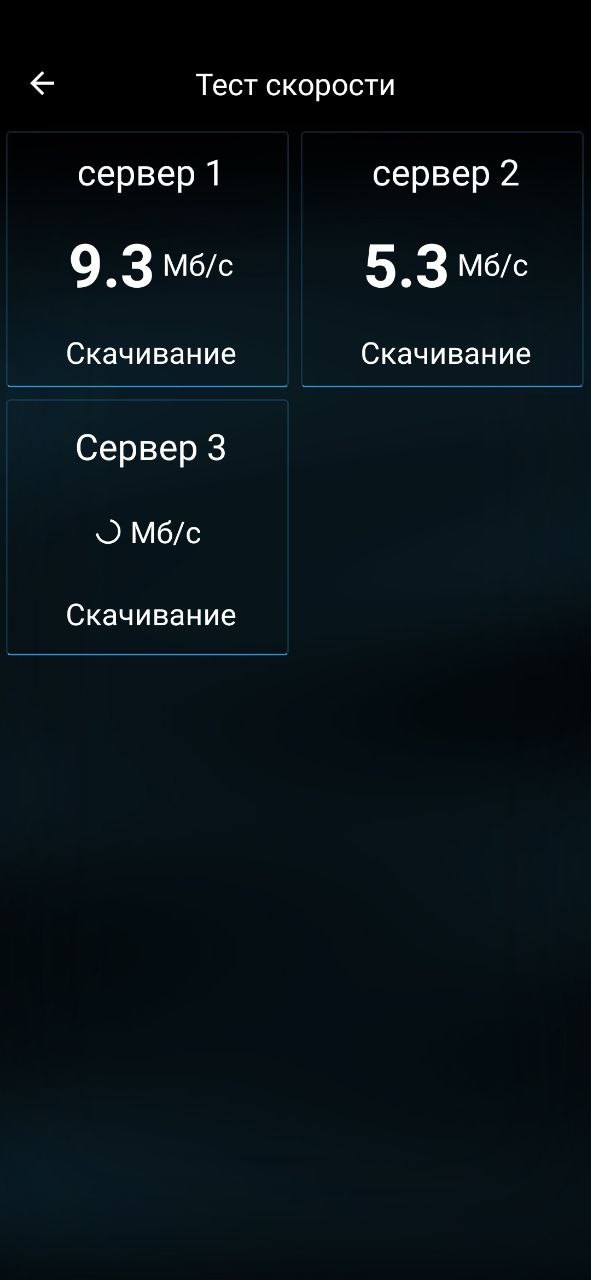
Speedtest
Option name: show, data type: bool.
Shows the menu item Speed Test, the button will appear in the Settings section. You will need to pre-configure the speed test widget in Smarty, similar to portals.
Appearance - TV
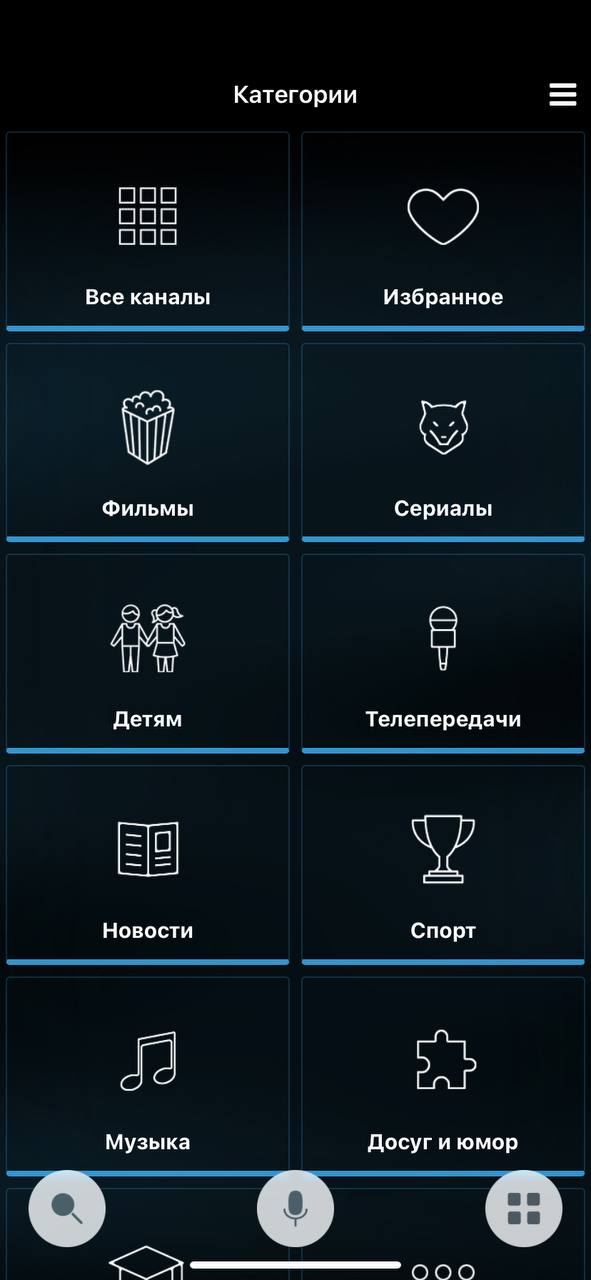
Features Category for Channel List
Option name: show_favorites, data type: bool.
Possible values:
- true - show the category "Favorites" in the list of channel categories.
- falsely Do not show the category "Favourites" (by default).
Auto Start Player When Opening Channel Page
Option name: autoplay, data type: bool.
Possible values:
- true start a channel when you click on it from the list.
- falsely When clicking on the channel in the list, open its page with the transmission program and show the player window with the Play icon (by default).
Maximum EPG depth in the past
Option name: max_pvr_depth, data type: number.
The depth is indicated in days, if you do not specify the values, then the depth of the archive will be equal to the depth of recording archival broadcasts on the channels.
Maximum EPG depth into the future
Option name: max_future_epg, data type: number.
Depth is indicated in days, by default - 7 days.
Disabling static categories for channels
Option name: consider_epg_channel_category, data type: number.
This option is valid only when the flag is on TVMW_CONSIDER_PROGRAM_CATEGORY in the Smarty configuration.
Possible values:
- 0 channels are distributed according to dynamic categories only (according to the transmissions going at a given moment on the channels).
- 1 channels are distributed according to dynamic and static categories (by default).
Disabling dynamic categories for channels
Option name: consider_program_category, data type: number.
This option is valid only when the flag is on TVMW_CONSIDER_PROGRAM_CATEGORY in the Smarty configuration.
Possible values:
- 0 channels are distributed according to static categories only.
- 1 channels are distributed according to dynamic and static categories (by default).
Disabling progressbar in the player of Android programs
Option name: disable_android_program_player_progress, data type: bool.
Possible values:
- true Disable the display of the progressbar player programs for Android.
- falsely - display the progressbar of the player of programs for Android (by default).
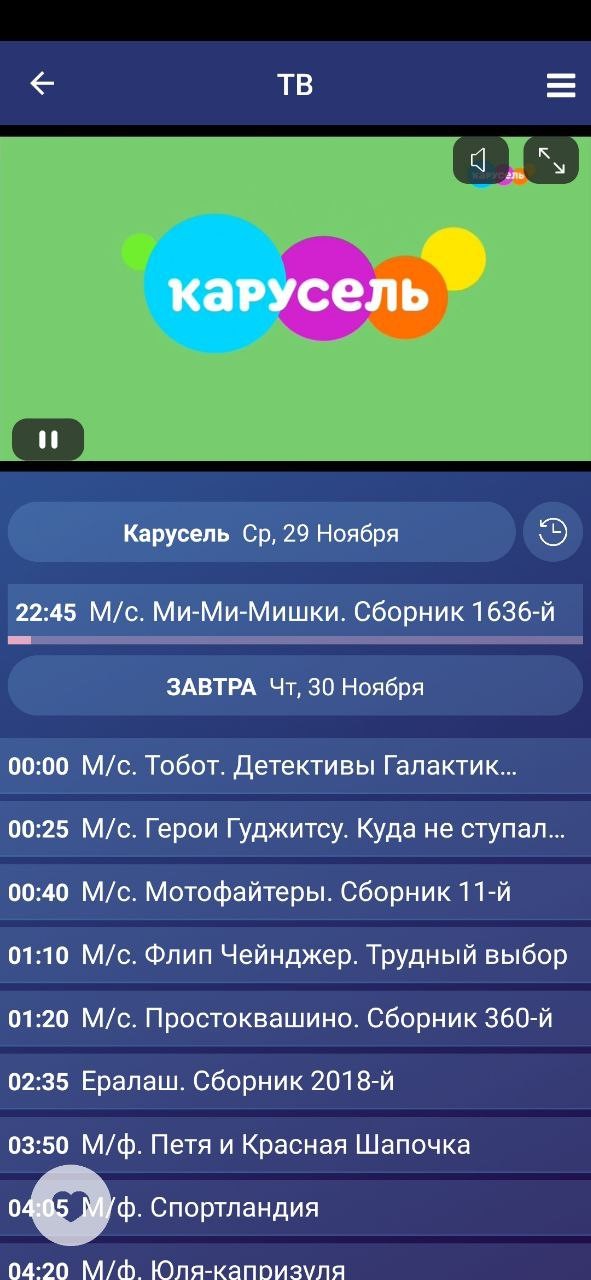
Display of channel icon or transmission preview in the list
Option name: use_channel_icon, data type: bool.
Possible values:
- true display the channel icon for the channel.
- falsely - display for the channel preview transmission (by default).
Channel sorting
Option name: channel_sort_id, data type: number.
Option to specify the channel sorting ID. If not transmitted, standard sorting is used.
Appearance - video library
Inclusion of genre categories for video library
Option name: use_category_genres, data type: number.
Possible values:
- 1 - group video library films according to genre categories (genres that have a checkbox "is a category" in the Smarty control panel).
- 0 - group films by usual genres (by default).
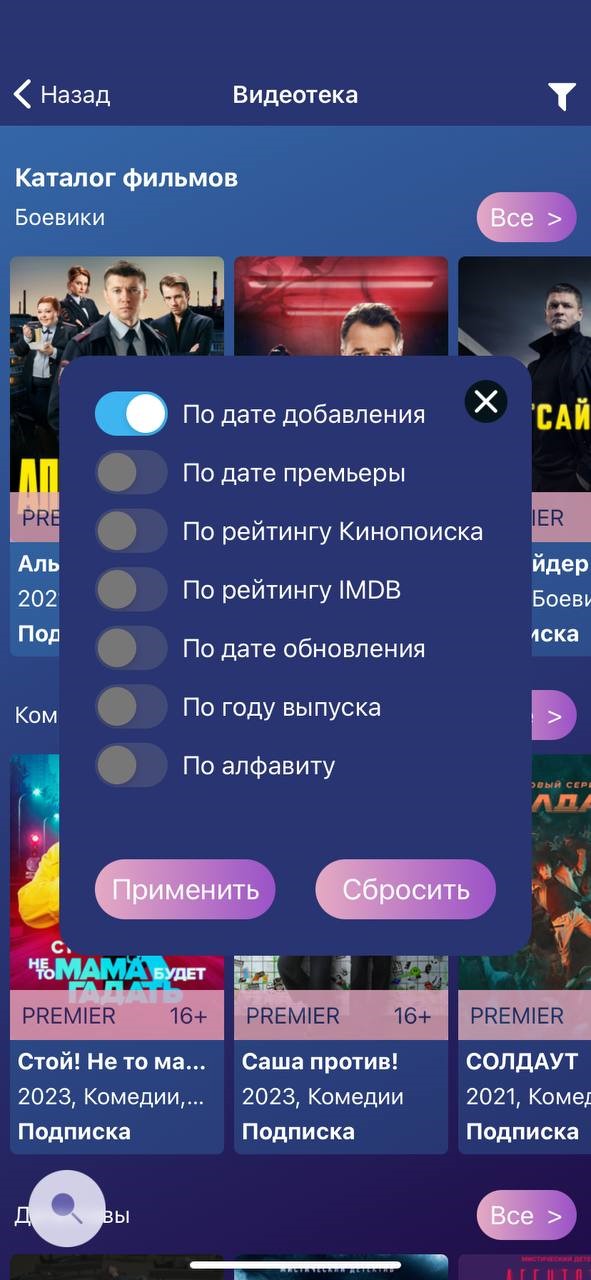
Sorting in video library
Option name: default_vod_sort_order, data type: string.
Опция устанавливает дефолтную сортировку в видеотеке. Параметр order в запросе VideoList (https://microimpuls.github.io/smarty-tvmw-api-docs/#api-Video-VideoList). Сортировка списка видео.
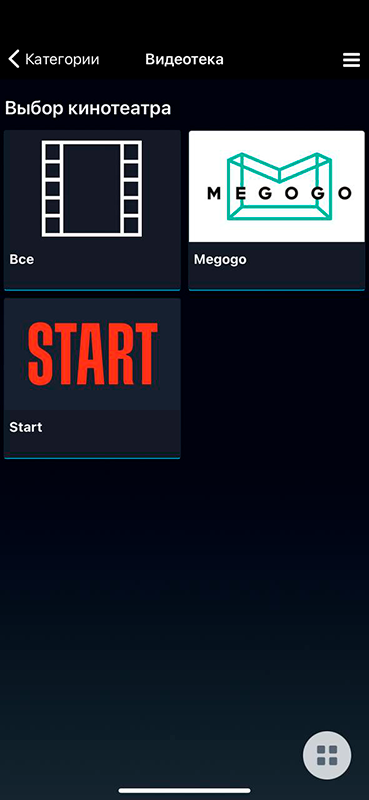
Displaying an intermediate screen with a list of cinemas
Option name: show_screen_with_choice_of_cinema, data type: bool.
Possible values:
- true - when you open the "Video" section, an intermediate screen for selecting a cinema will be shown if there are several VOD sources (Megogo, START, etc.), when you click on any of them, a list of films belonging only to the selected cinema will be displayed.
- falsely When you open the "Video" section, a general list of films will immediately open without separation into sources (by default).
Appearance is my profile
Showing acceptance of the offer
Option name: show_off, data type: bool.
Possible values:
- true - show an offer to accept the offer before payment.
- falsely do not show acceptance of the offer (by default).
Payment page template
Option name: payment_template, data type: string.
Payture’s payment gateway allows you to select the template of the displayed payment page. If you leave the field empty, the default pattern will be displayed.
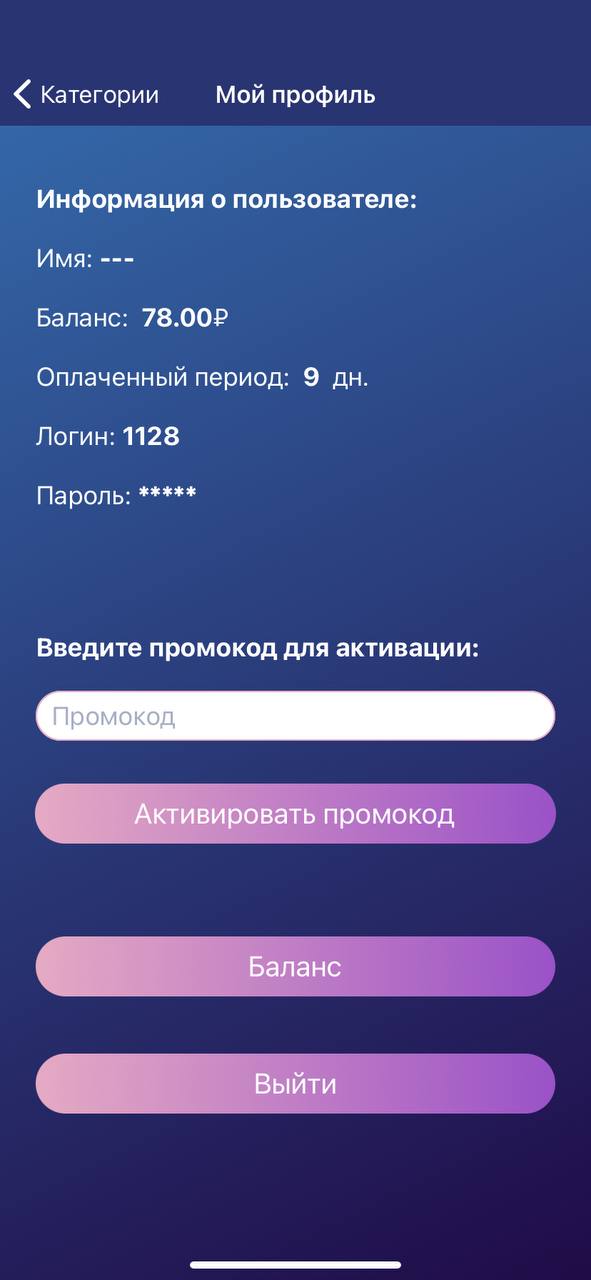
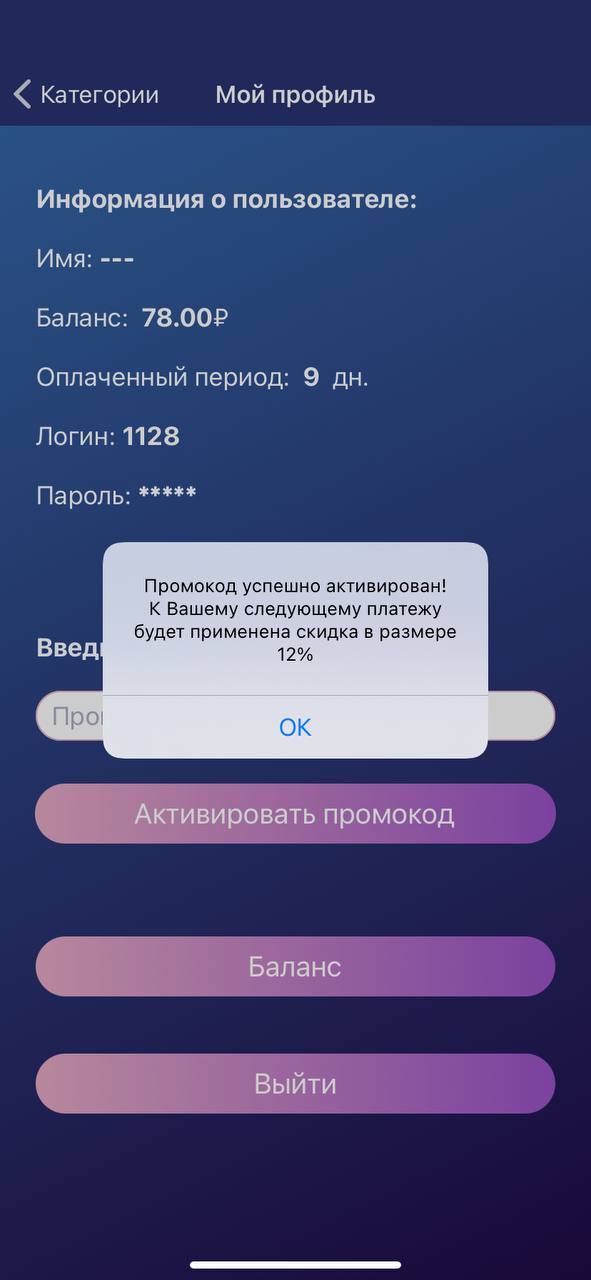
Activation of promo code
Option name: show_promo_code, data type: bool.
Possible values:
- true - display the activation section of the promo code in the screen "My profile".
- falsely Do not display the promo code activation section in the My Profile screen (by default).
Statistics collection
Sending data to Yandex AppMetrica
Option name: app_metrica_api_key, data type: string.
This field is required to configure the sending of data on the use of the application by end subscribers. To enable the fee, you need to specify in this option the value of the API key from the personal account of AppMetrica: https://appmetrica.yandex.ru/docs/quick-start/concepts/quick-start.html. For iOS, it only works if the user has allowed access to a unique IDFA (iOS 14.5 Requirement).
Report on the collection of iOS data
Option name: app_tracking_transparency_message, data type: string.
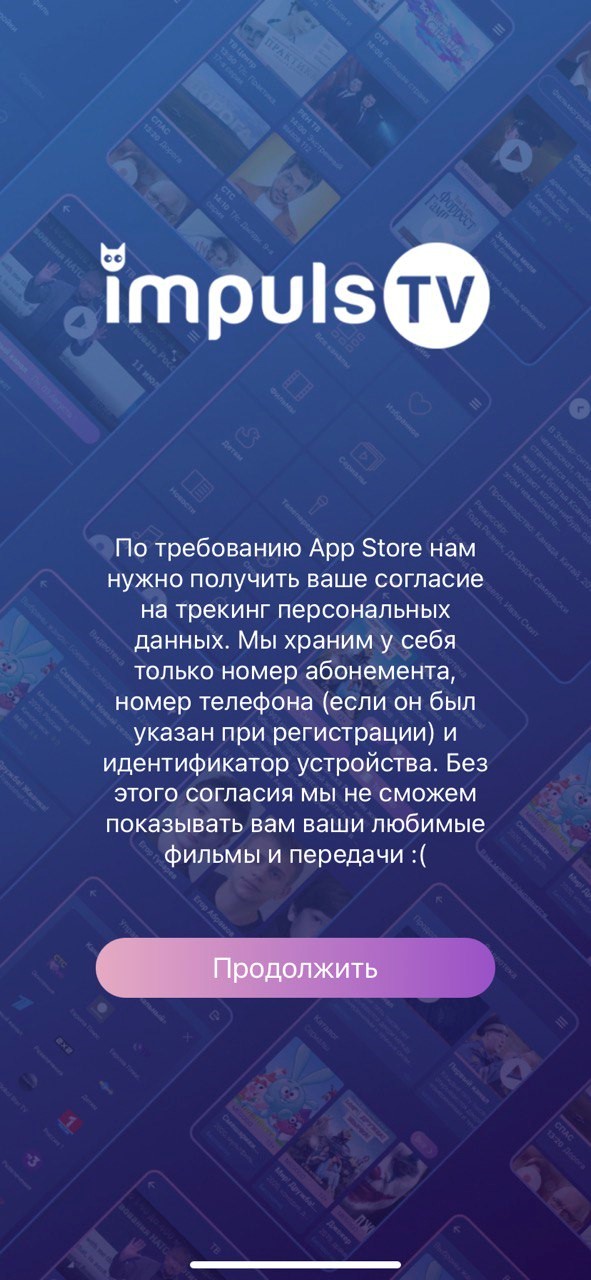
Display a message about the purpose of data collection using a unique IDFA. (IOS 14.5 requirement). By default null. It only applies to iOS.